DISTRIBUTOR MANAGEMENT SOFTWARE
Choose a system that follows the handover.
Orders, stock and collections need to make sense together. Evaluate Zaqnet against the actual steps between your representatives, warehouse and accounts team.
A distributor management system can mean different things to different businesses. This guide explains where ControlRoom and GroundLink fit, what to verify in a demonstration and which specialist requirements need a separate check.
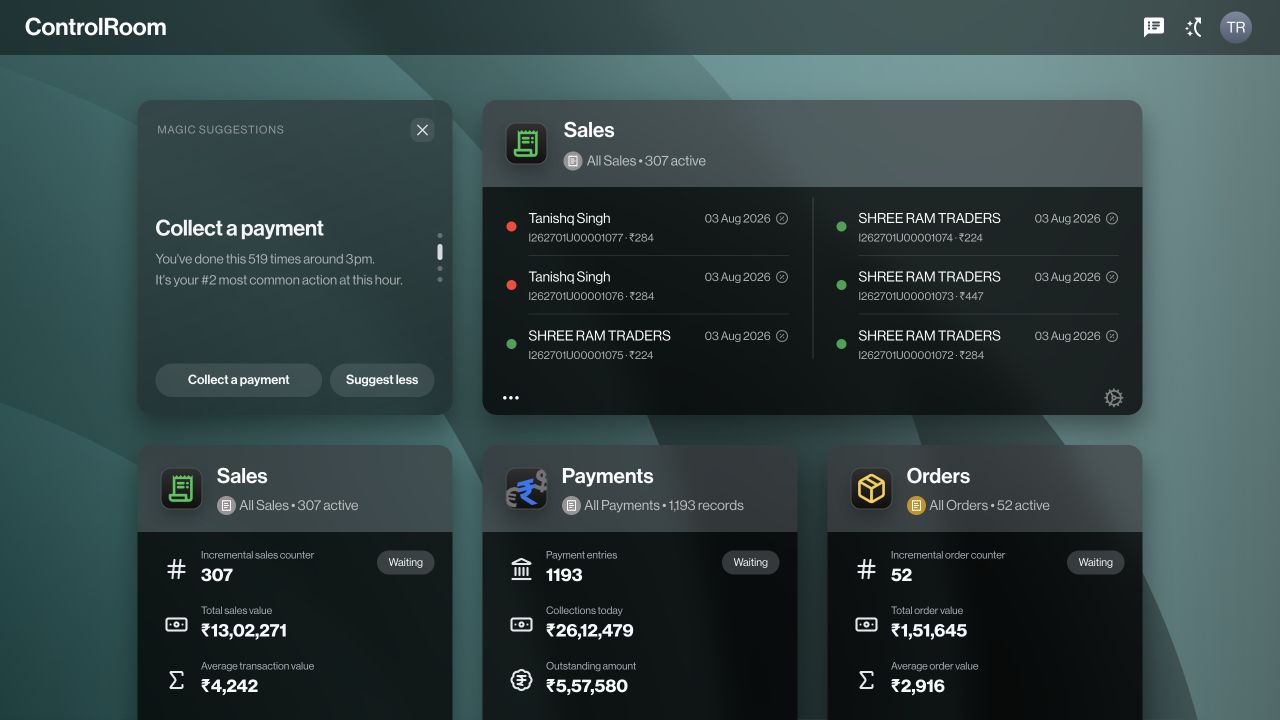

One workspace at the office. One companion in the field.
GroundLink helps representatives record supported customer orders, sales and collections. ControlRoom lets the office review the corresponding records, manage stock activity and coordinate follow-up. Its three panes keep navigation, the record list and selected details together. Staff can compare the next order without repeatedly leaving the context of their work.
Compare capabilities by what you need to verify.
Use this checklist in a product demonstration. A saved record and a completed business process are not always the same thing.
| Your requirement | Where Zaqnet fits | Check in your demo |
|---|---|---|
| Field order booking | Customer orders recorded in GroundLink and reviewed in ControlRoom. | Customer, items, selling units, quantities and the next responsible person. |
| Customer collections | Payment entries connected to customer records for office review. | Payment method, reference and actual receipt; recording is not bank settlement. |
| Stock accountability | Inventory locations, purchases, transfers and supported return workflows. | Who approves, executes and receives each movement; where returned stock goes. |
| Day-end control | Closure and source records help explain the day’s totals and exceptions. | Your people, dates, locations and outstanding handovers. |
| Accounting handoff | AutoSync forwards supported organisation data from Closure. | BUSY or TallyPrime configuration, supported record types and mappings. |
| Team access | Roles, permissions and plan capabilities govern available actions. | Representative, warehouse, supervisor and accounts access separately. |
Keep operations and accounting connected.
Zaqnet supports the operational records behind orders, sales, collections and stock activity. AutoSync is the auxiliary tool for one-click forward sync from Closure to a configured BUSY or TallyPrime workflow. Agree which records and mappings are supported before rollout; this does not imply reverse sync or replacement of your accounting, statutory reporting or tax-filing process.
Understand the AutoSync handoff →Test one complete example before rolling out.
- Prepare. Choose a real customer, product and selling unit. Agree the permissions and locations used by the people involved.
- Record and review. Capture the order in the field and find it in ControlRoom. Check items, quantities and status, then follow the supported sale and stock steps.
- Reconcile. Record a collection, verify its evidence and account for any remaining field stock. Review exceptions before treating the day as complete.
- Confirm the fit. List any steps that need a connector, different plan, configuration or separate tool. Include your accounts and warehouse users in the decision.
Be specific about specialist requirements.
If you need batch or expiry management, scheme calculations, route optimisation, manufacturer-to-distributor reporting or a complete van-sales package, ask to see that precise workflow. Do the same for offline behaviour, printing and accounting integrations. Category labels alone are not evidence that those requirements are covered.
For the supported workflows, plan entitlements, permissions and organisation configuration determine what each user can do.
Compare included plan capabilities →