
THE BIG PICTURE
Start with the business. Open the detail.
An overview for the morning. Individual records for the next decision.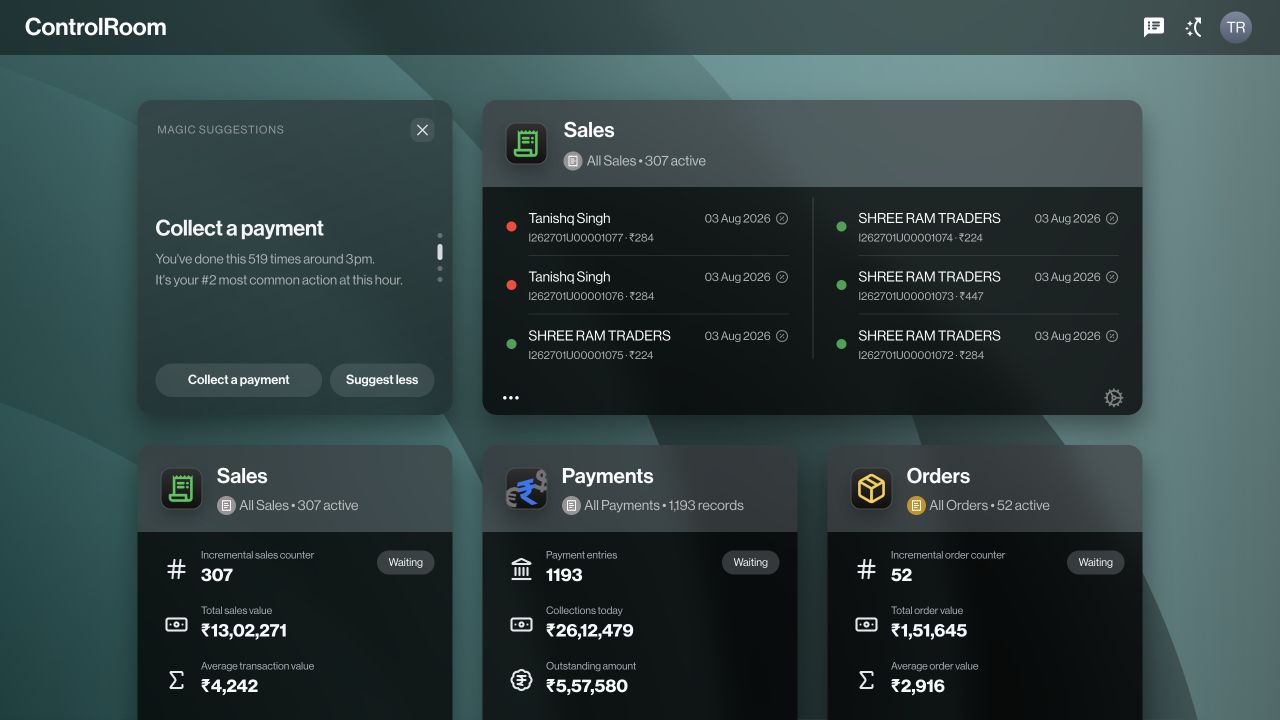
Zaqnet for owners, managers, and office teams.
The place to manage orders, money, stock, and people in your browser. Bring the work happening across your business into view, then open the detail and take the next step.
WHAT IS CONTROLROOM?
ControlRoom is the office workspace within Zaqnet. Open it in a browser to review business records and manage the work your team is responsible for.
For owners, managers, accounts teams, and people coordinating stock and supply.
Connect organisation records to accounting with AutoSync →THE THREE-PANE WORKSPACE
Your categories, records, and selected details sit side by side. Move from the big picture to one order without losing your place.
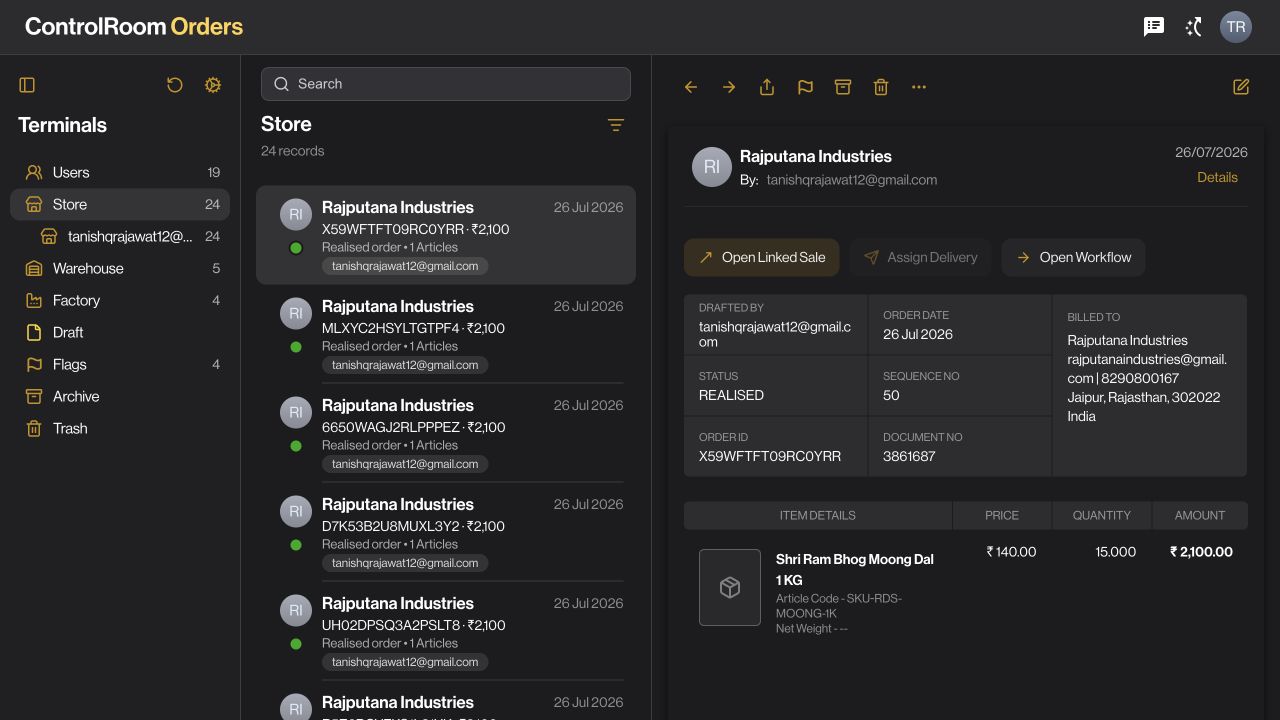
Use the sidebar to narrow the workspace to the records you need.
Search and move between records without leaving the current category.
Review the selected order’s items, amount, status, and available actions.
Shown in Orders. A familiar structure across ControlRoom’s record-based apps.
THE BIG PICTURE
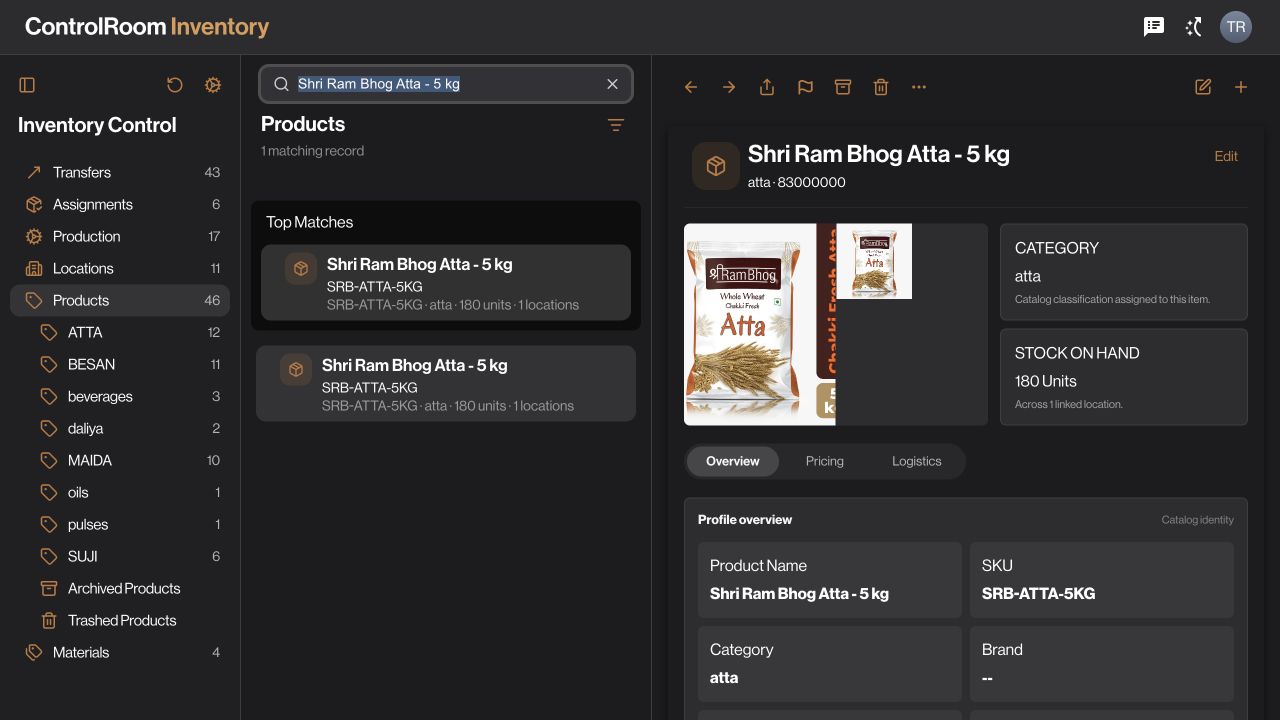
STOCK AND SUPPLY
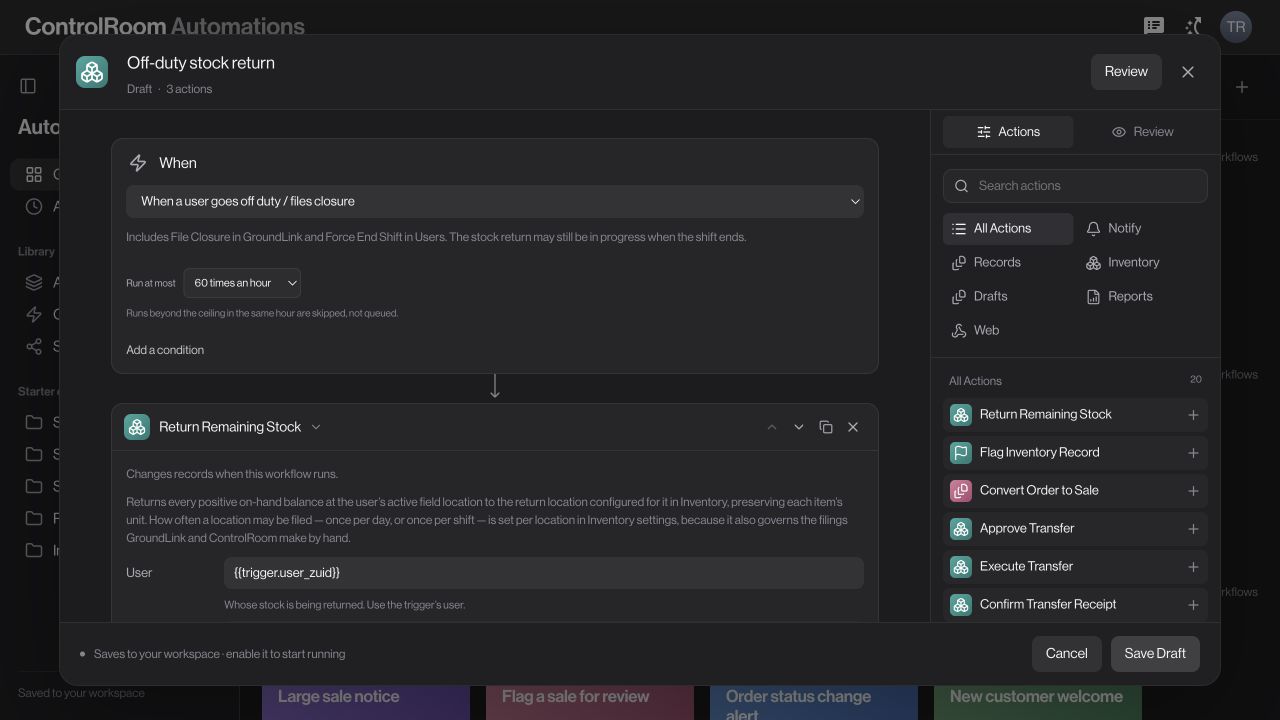
YOUR WORKFLOWS
Choose an area to see what you can do.
Actual product screens
A WORKING DAY IN CONTROLROOM
Imagine you run a business with a warehouse, a sales team, and customers in several places. Here is how ControlRoom helps you organise an ordinary day.
01Start the morning
Review sales, collections, and open orders. Choose the information you want on your home screen so the important figures are easy to find.
For exampleYou want to check which orders still need attention before speaking to the warehouse.
02Work through the details
Open a record to see its customer, items, amounts, and status. Move into inventory when the next decision is about stock, or purchases when it is about supply.
For exampleA customer asks about an order. You look up the record and check the details before responding.
03Set up the next step
Use the tools for your role to update records and organise work. In Automations, describe a repeatable process with a starting event, conditions, and a sequence of actions.
For exampleFor a day-end workflow, choose the return location and reporting rules your business needs, then review the supported actions.
Zaqnet is the overall business system. ControlRoom is the part your office uses. GroundLink is the mobile companion for field work. You choose the products and capabilities that fit your business.
Everyday work is organised into named apps such as Orders, Payments, Inventory, and Purchases. Start with the apps relevant to your role, search for a record, and open its details. A demo can walk through your own working process.
Access is assigned through the company workspace. Your team can configure roles and permissions so people work within their responsibilities. Confirm the setup you need during onboarding.
Only the workflows you configure and enable, using the events and actions supported in your workspace. Review the conditions, recipients, and stock rules before enabling a workflow; creating a draft is not the same as running it.
MAKE IT YOURS
Choose a background, arrange the tiles you want on your home screen, and put the numbers you check first where you will actually see them. Start with the information that matters to your own working day.
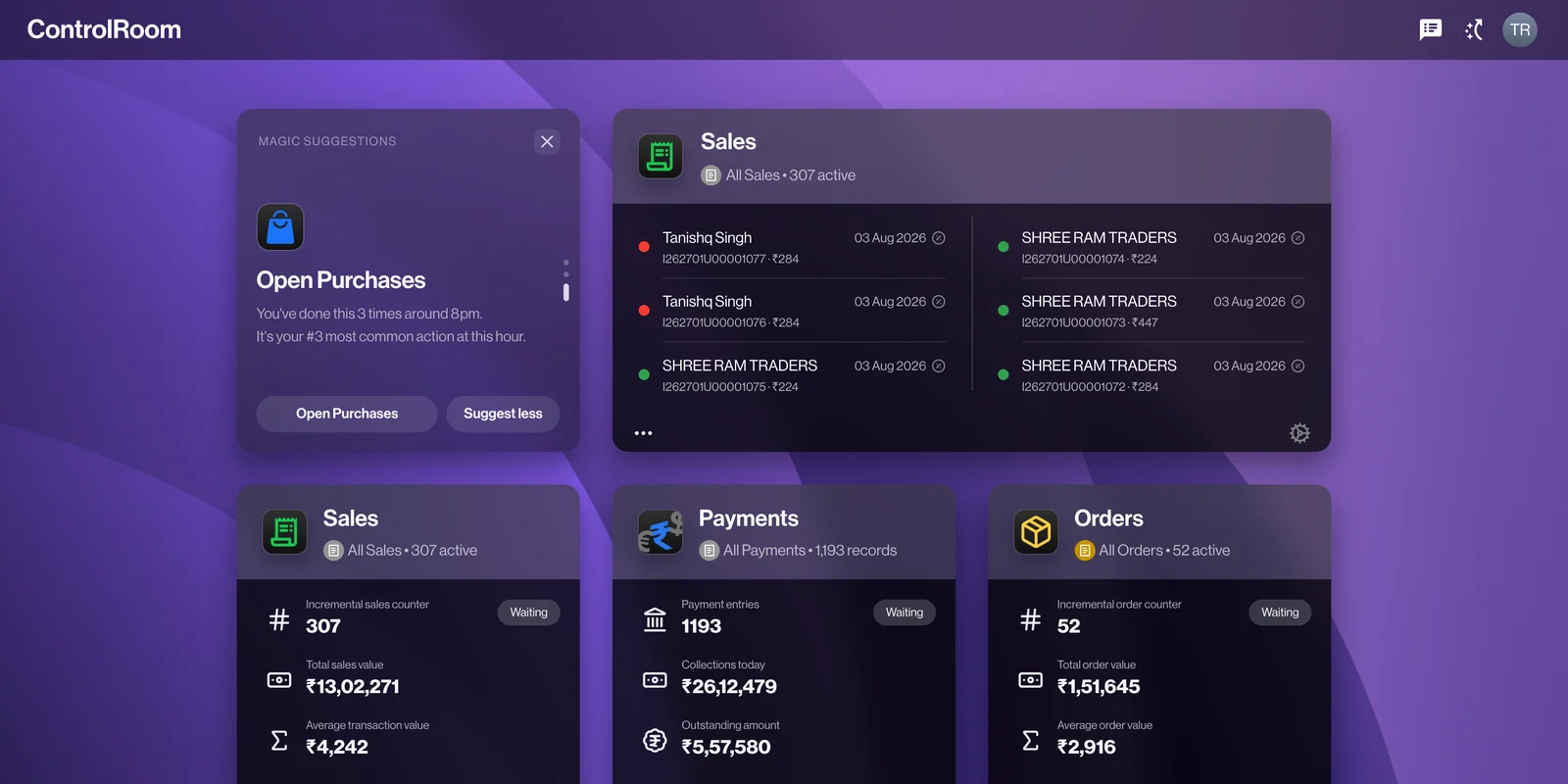
Indigo · Choose a background

Manage orders, payments, stock, and people.
For owners and office teams.
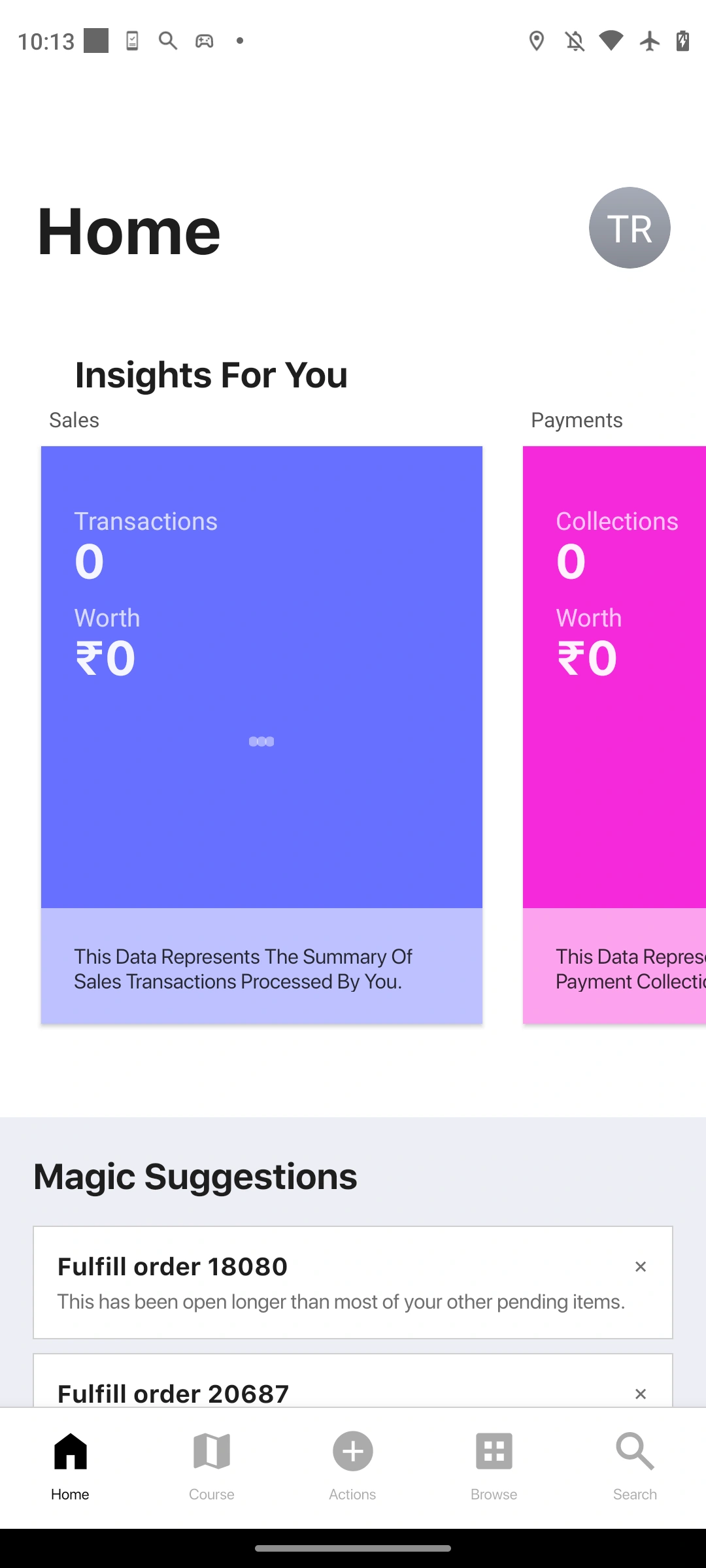
Record visits, orders, and collections.
For teams working on the ground.
Choose what each person can see and do, based on their role in your business.
Start with the tools your team needs. Explore a plan that fits the way you work.
Return to the relevant customer, payment, or order when someone needs an answer.
LET’S TALK ABOUT YOUR BUSINESS
See how Zaqnet fits the way your business moves.
Find your plan