Collections
Customer collections. A record both teams can follow.
Money is collected away from the office. Accounts needs to know who paid, how much, and what still needs attention.
Bring field collection records into the office review process. Keep payment details connected to the customer so accounts can understand what was recorded and what needs follow-up.
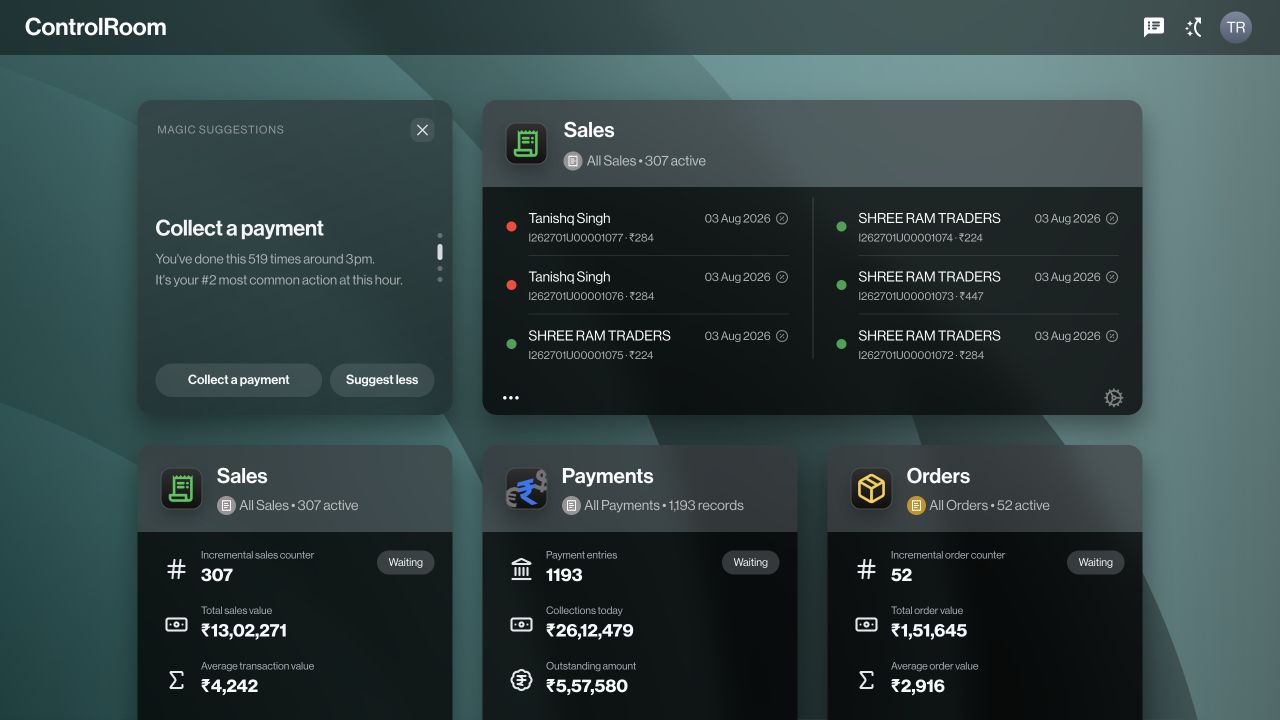

Who this is for.
Field representatives collecting from customers, accounts staff reviewing payments, and managers coordinating outstanding balances.
How the work connects.
Before collecting · GroundLink
Find the right account.
Look up the customer and review the balance information available to your role.
At the customer · GroundLink
Record the collection.
Enter the amount and payment details in the collection workflow. Check the information before saving.
In accounts · ControlRoom
Review and follow up.
Review recorded payments and outstanding amounts. Use those records to resolve questions and decide who needs a follow-up.
Your accounts team has a payment record to review instead of a message to interpret.
What to agree before you start.
- Confirm the customer account before entering any amount.
- Agree which payment methods and references your team must record.
- Define who checks payment status and reconciles recorded amounts against actual receipts.
Check the outcome.
Compare the customer, amount, payment method, reference and status between the field entry and the office record. Recording a payment is not a bank transfer or independent confirmation that money settled. If a save times out, check for the existing record before retrying.
Available controls depend on your plan, permissions and company configuration. Review your actual workflow in a demo before deciding whether it fits.
Try the workflow, step by step.
Directive Journal explains the controls, what to prepare and how to check your result.
Questions before you choose.
How can accounts check a collection made in the field?
Record the customer, amount, method and reference in GroundLink. Accounts can then inspect the corresponding payment record in ControlRoom and compare it with the actual receipt before reconciling.
Is this a payment gateway or automatic bank reconciliation?
This workflow records and reviews customer collections. It does not itself move money or prove settlement. Your accounts team still checks the relevant bank, cash or payment-provider evidence.
Choose the right starting point.
ControlRoom gives the office a shared view of records. GroundLink helps field teams record work where it happens. Compare the plan capabilities and bring one real example of your process to a demo.