Stock & supply
Inventory and stock handovers. Follow the next movement.
An order is waiting, stock is spread across locations, and someone needs to decide what to replenish.
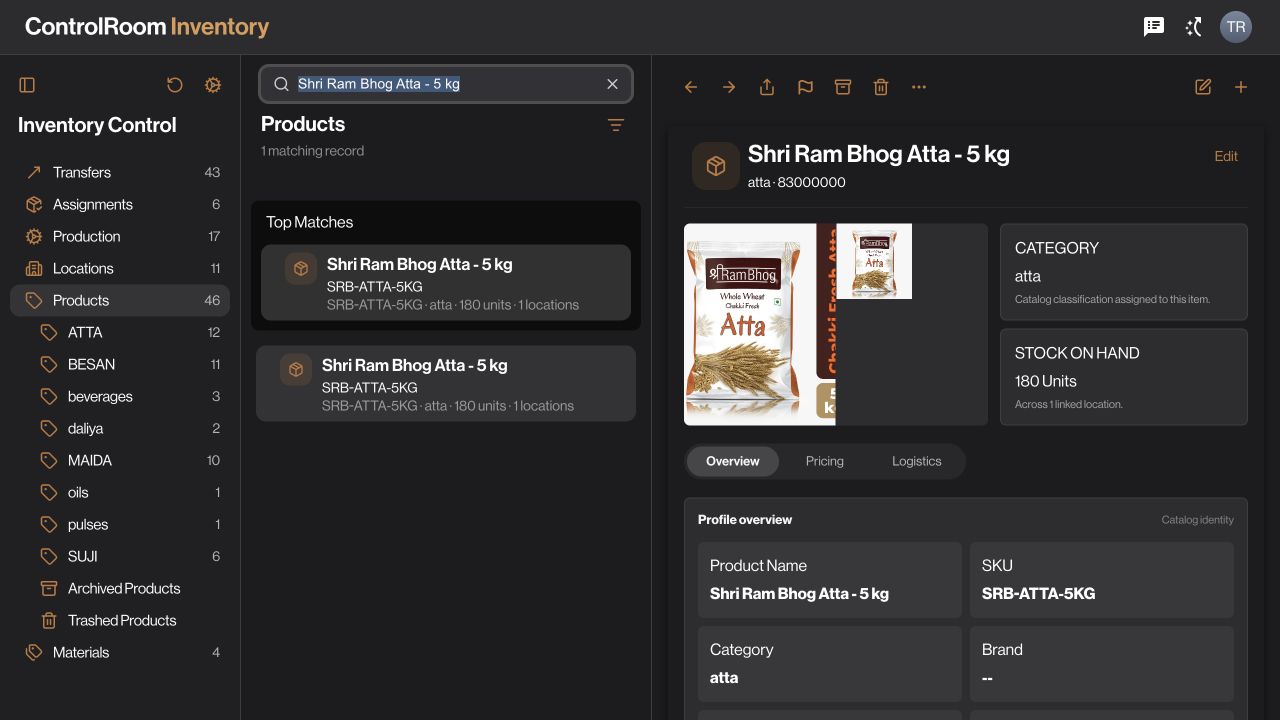
Coordinate the stock your office manages and the stock your field team uses. Review products, locations, purchases and transfers with clear responsibility at each step.

Who this is for.
Inventory managers, purchasing teams and field supervisors who need to coordinate supply, location balances and remaining stock at the end of a working day.
How the work connects.
Warehouse · ControlRoom
Check the stock.
Open Inventory and review the item and location involved before promising a quantity.
Purchasing · ControlRoom
Plan the supply.
Use Purchases to organise supplier requirements and review the purchasing records relevant to the shortage.
Operations · ControlRoom
Keep movements traceable.
Record stock changes through the available transfer and receipt workflows, then review the updated records.
Stock and purchasing decisions start from recorded information, with clear locations and quantities.
What to agree before you start.
- Set up the locations, items and units used in your operation.
- Agree the approval and receipt responsibilities for stock transfers.
- Configure field assignments and the appropriate return location before relying on a closure workflow.
Check the outcome.
Follow the transfer or receipt through its actual states and review the resulting location balance. Saving a draft is different from executing a movement. Ending duty is also different from confirming that stock was returned.
Available controls depend on your plan, permissions and company configuration. Review your actual workflow in a demo before deciding whether it fits.
Try the workflow, step by step.
Directive Journal explains the controls, what to prepare and how to check your result.
Questions before you choose.
Where does remaining field stock go at the end of duty?
Agree and configure the return location for the field assignment. A configured closure workflow can initiate the supported return steps; review the resulting stock movement and receipt before treating the handover as complete.
Can purchasing and field teams see the same stock process?
ControlRoom brings inventory, purchases and transfers into the office workspace. Field workflows use the assigned stock and locations. Access depends on permissions, so decide who can prepare, approve, execute and receive a movement.
Choose the right starting point.
ControlRoom gives the office a shared view of records. GroundLink helps field teams record work where it happens. Compare the plan capabilities and bring one real example of your process to a demo.