Skip to content
ZN
Sign in
GroundLink
ExploreFeatures & specsGet on Google Play

Zaqnet for the people doing the work on the ground.

Your working day.Right here with you.

The mobile companion for visits, orders, collections, and field activity. Give your team the business information they need where the work happens, and a way to record what they do.
Get on Google PlayExplore GroundLink
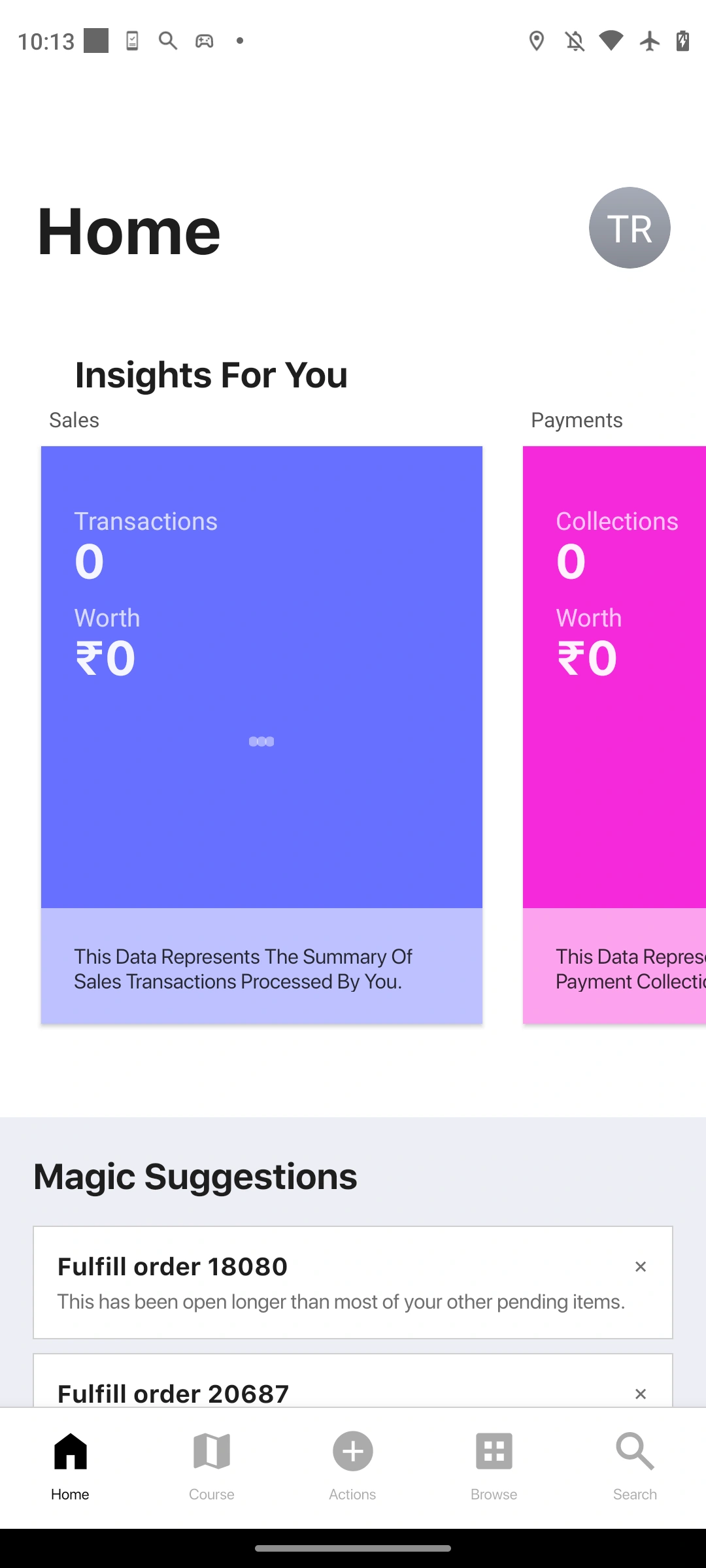
Actual GroundLink overview screen in an iPhone 15 Pro presentation
GroundLinkActual product screens
A closer connection to your business

WHAT IS GROUNDLINK?

Your business companion on the phone.

GroundLink is the mobile app within Zaqnet. It brings customer-facing and field tasks onto the phone, so the work can be recorded where it takes place.

For representatives, collectors, delivery teams, and people working away from the office.

Available for Android on Google Play. Sign in with your Zaqnet account and use the organisation access assigned to you.

DESIGNED FOR THE PERSON DOING THE WORK

Less on the screen.
More focus on the visit.

GroundLink keeps everyday work close to hand. Clear destinations and focused screens help your team move from finding a customer to recording the next step.
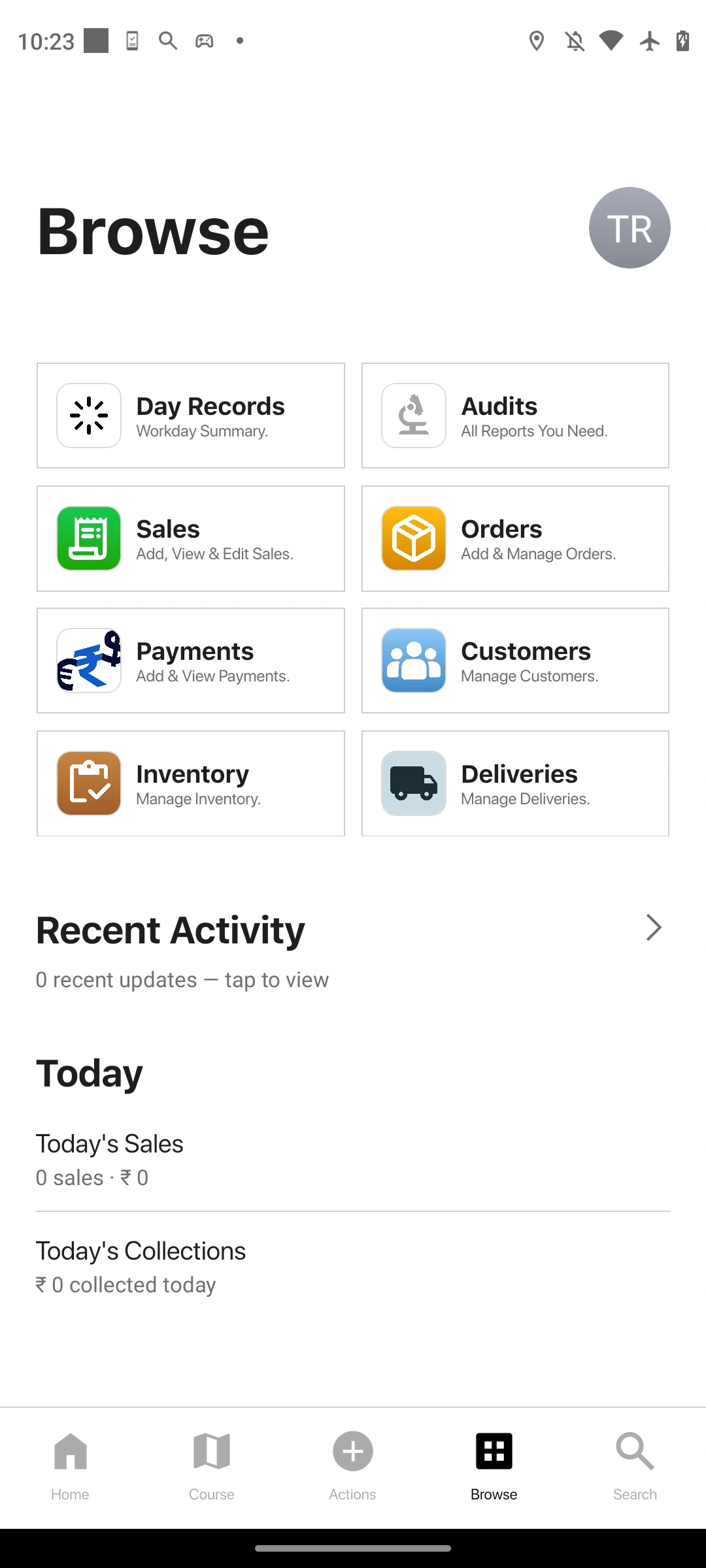
Actual GroundLink Browse screen captured from the connected phone
ONE CLEAR STARTING POINT

Your day, at a glance.

Open Home for your activity and suggestions. Start with the information relevant to the work in front of you.

FAMILIAR DESTINATIONS

Know where to go next.

Home, Course, Actions, Browse, and Search stay within reach through the bottom navigation.

A FOCUSED WORKFLOW

Give each task its own space.

Move into the appropriate screen for the customer, order, or collection. The office workspace stays in ControlRoom; the phone stays focused on field work.

Get the highlights.

Take a closer look

WITH THE CUSTOMER

A useful companion. At every visit.

Customer details, orders, and collections in the mobile app.
Actual GroundLink overview screen in an iPhone 15 Pro presentation

DURING THE DAY

Do the work. Keep a record.

Capture the details while they are still in front of you.
Actual GroundLink overview screen in an iPhone 15 Pro presentation

BACK AT THE OFFICE

Two teams. One business.

Field activity gives office teams the records they need to follow up.
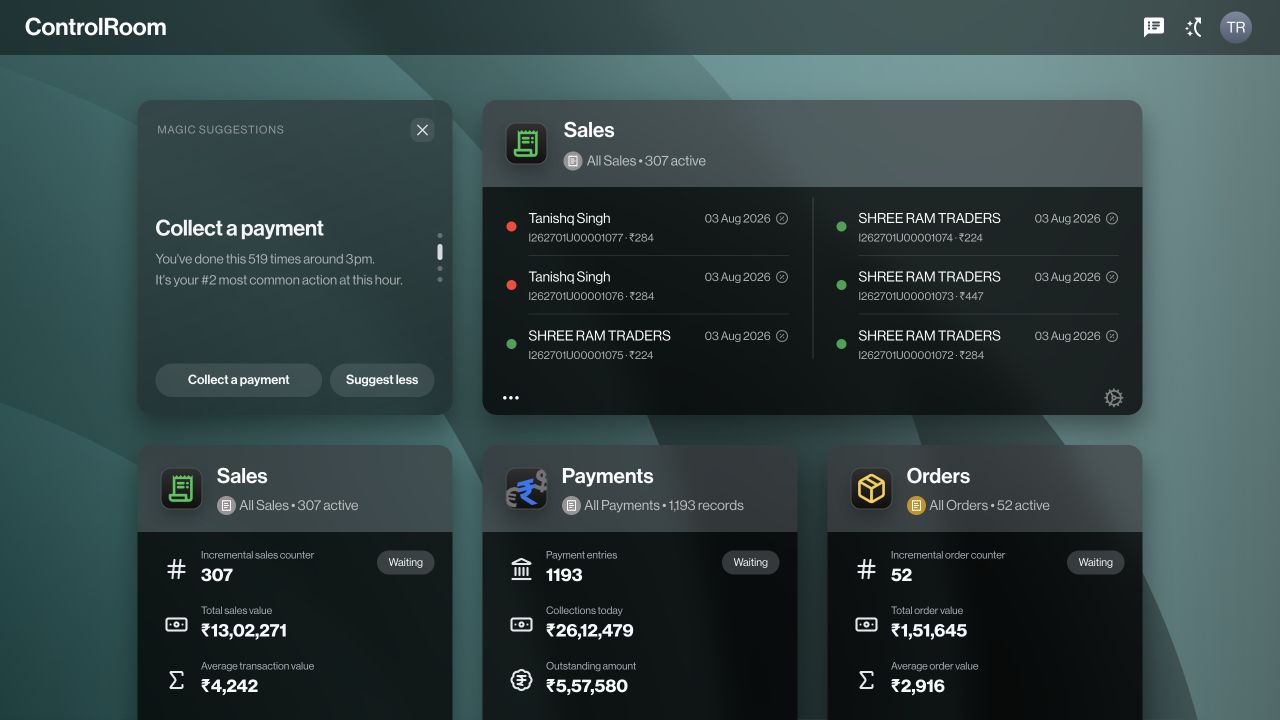
Actual ControlRoom overview screen
Actual GroundLink overview screen in an iPhone 15 Pro presentation
01 / 03

Take a closer look.

Choose an area to see what you can do.

EXPLORE GROUNDLINK

At the customer.
On the move. At day’s end.

Start with the customer.

Open the customer’s details before taking an order or recording a collection. Keep the conversation connected to a business record, rather than scattered across messages and notebooks.

Record the order where it happens.

Choose the customer and products, check the quantities and prices shown, and submit the order through the app. Your office can then work from the recorded details instead of interpreting a handwritten list.

Keep a payment with its customer.

Record the amount collected and the relevant payment details. Give the office a record to check when it follows up on collections and customer balances.

Account for the work you did.

Use the field workflows your business has enabled for attendance, activity, and closing the day. Bring collections and stock information back to the office for review.

Actual GroundLink browse screen in an iPhone 15 Pro presentation

Actual product screens

A WORKING DAY WITH GROUNDLINK

A day on the ground.
With the details close by.

Follow a representative through a customer visit. The app supports the person doing the job, while keeping their work connected to the wider business.

01Before the visit

Find the customer.

Open the customer information available to your role. Start the visit with the right business record ready, instead of relying on a name in a chat.

For exampleYou arrive at a regular customer and open their details before discussing today’s order.

02At the counter

Capture what was agreed.

Record the order with its items and quantities. When collecting a payment, enter the amount and payment details through the appropriate workflow.

For exampleThe customer places an order and makes a payment. Each is recorded in the right place.

03After the visit

Leave a useful record.

Continue through the day’s assigned work, then complete the closing steps your business uses. The office has recorded information to review and follow up.

For exampleAt day’s end, your team reviews collections and any stock being returned.

The person at the counter. The team behind them.

GroundLink handles the mobile work. ControlRoom gives office teams the place to review records, coordinate stock and orders, and manage the wider operation. They are two ways of working with Zaqnet.

Meet ControlRoom

A few helpful answers.

Who is GroundLink for?

People who work with customers or carry out business tasks away from a desk: for example, sales representatives, collectors, and field teams. The workflows available to each person depend on their company setup.

Does it replace ControlRoom?

They serve different jobs. GroundLink is for mobile work; ControlRoom is for managing and reviewing the operation in a browser. A business can use them together.

What happens if the internet connection is weak?

Some tasks may need an internet connection. During setup, we can confirm which tasks can be saved on the device and how sending those records to the office works for your app version.

What do we need to get started?

Your team needs a configured Zaqnet workspace and supported mobile devices. We can confirm device compatibility, user access, and the customer and product information needed for your chosen workflows.

Find your connection.

Compare plans
Actual ControlRoom overview screen
ControlRoom

ControlRoom

Manage orders, payments, stock, and people.
For owners and office teams.
Explore ControlRoomSign in
Actual GroundLink overview screen in an iPhone 15 Pro presentation
GroundLink

GroundLink

Record visits, orders, and collections.
For teams working on the ground.

Explore GroundLink

MORE WAYS TO CONNECT In development

RetailPortFor the storefront.SatchelFor everyday commerce.

Considered.
In every connection.

The right access. For the right people.

Choose what each person can see and do, based on their role in your business.

Built around your operation.

Start with the tools your team needs. Explore a plan that fits the way you work.

Context that stays connected.

Return to the relevant customer, payment, or order when someone needs an answer.

LET’S TALK ABOUT YOUR BUSINESS

A better way
to work together.

See how Zaqnet fits the way your business moves.

Find your plan

Zaqnet

One connected place for the people, records and decisions behind your business. From an order in the field to the next step at the office, Zaqnet helps your team work with a shared picture.

Explore Zaqnet

ControlRoomGroundLinkAutoSyncRetailPortSatchel

Ways to use Zaqnet

Explore industriesDistributor managementDistributors & wholesalersFMCG field operationsField salesCollectionsStock & supplyDay-end reviewAll business use cases

Find your plan

ElementalEssentialsEcosystem PlusEternalCompare all plans

For your business

Sign in to ControlRoom

More from Zaqnet

Directive JournalZaqOS LevanteControlRoom featuresGroundLink features

ControlRoom brings the office into one workspace. GroundLink keeps field work close to hand. ZaqOS Levante brings a familiar design and way of working across the experience.

RetailPort and Satchel are in development. Product capabilities depend on your plan, permissions and company configuration.

Copyright © 2026 RDS Corp. All rights reserved.

Privacy PolicyTerms of UseServices statusIndia