GroundLink · 1 MIN READ
Record an order in the field
Turn a customer’s request into an order the office can review.
Guide reviewed 14 September 2026 · Controls depend on your app version and access.
Before you begin
Confirm the customer and product details. Work within your assigned company and operational permissions.
01Open the order creation flow
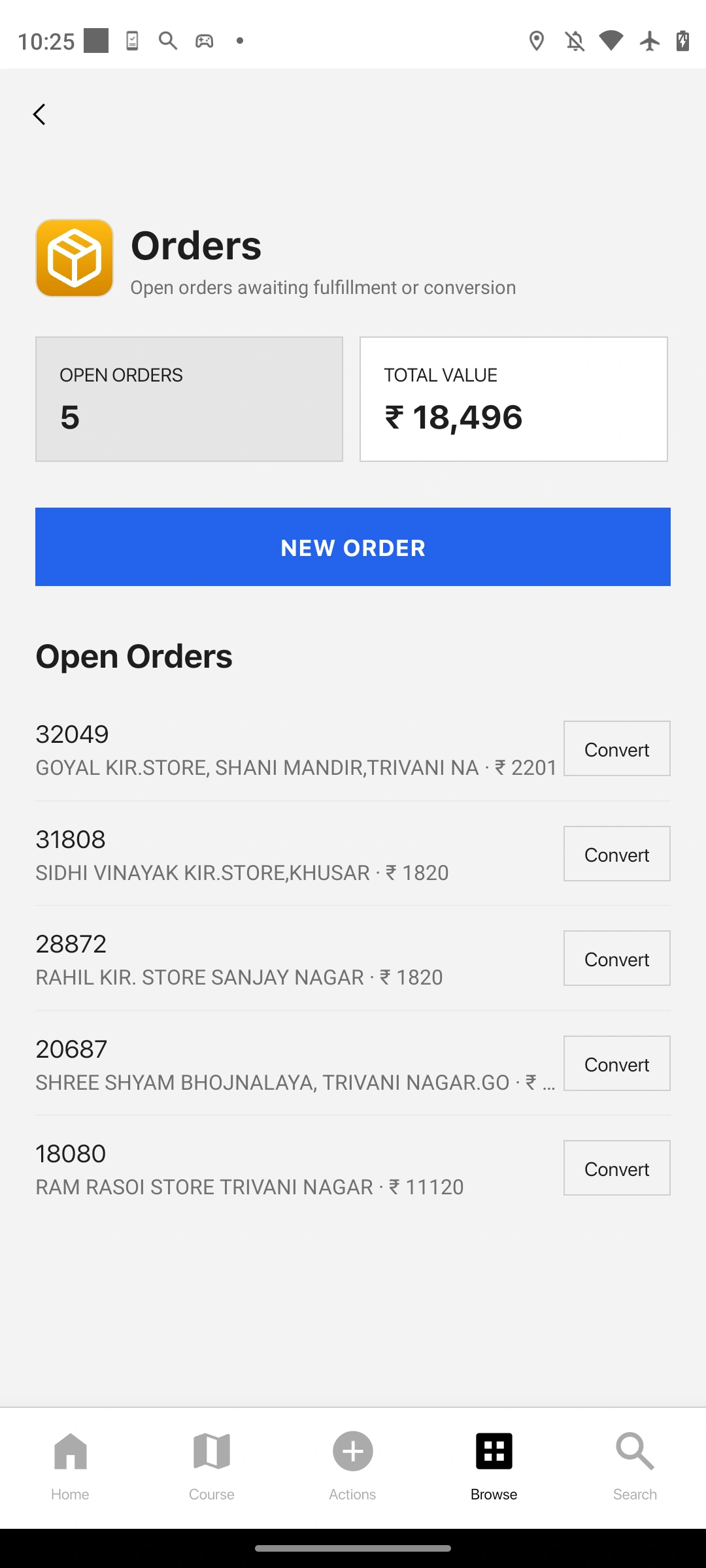
Use the available order action or Orders entry point. Select the intended customer before building the cart.
02Build and review the cart
Choose products and quantities. Review unit information, pricing and any supported promotions or constraints.
03Confirm the request
Check the customer, line items and total with the request you received. An order is not a payment and may still need allocation or fulfilment decisions.
04Submit once and reopen
Wait for the result, then find the order in Orders. Note its identifier so the office can locate the same record.
Check the result
The order is visible with the expected customer and items, and its identifier can be shared with the office.
If something does not look right
If the connection drops during submission, inspect Orders before retrying. A failed response can leave the save outcome uncertain.
Look up an error