Start here · 2 MIN READ
Understand the Zaqnet workspace
Learn which product to open, what a record represents, and how the office and field team work together.
Guide reviewed 14 September 2026 · Controls depend on your app version and access.
Before you begin
Have an authorised account and know which organisation you are working for. The apps you see depend on your organisation, plan, permissions and deployment.
01Choose your surface
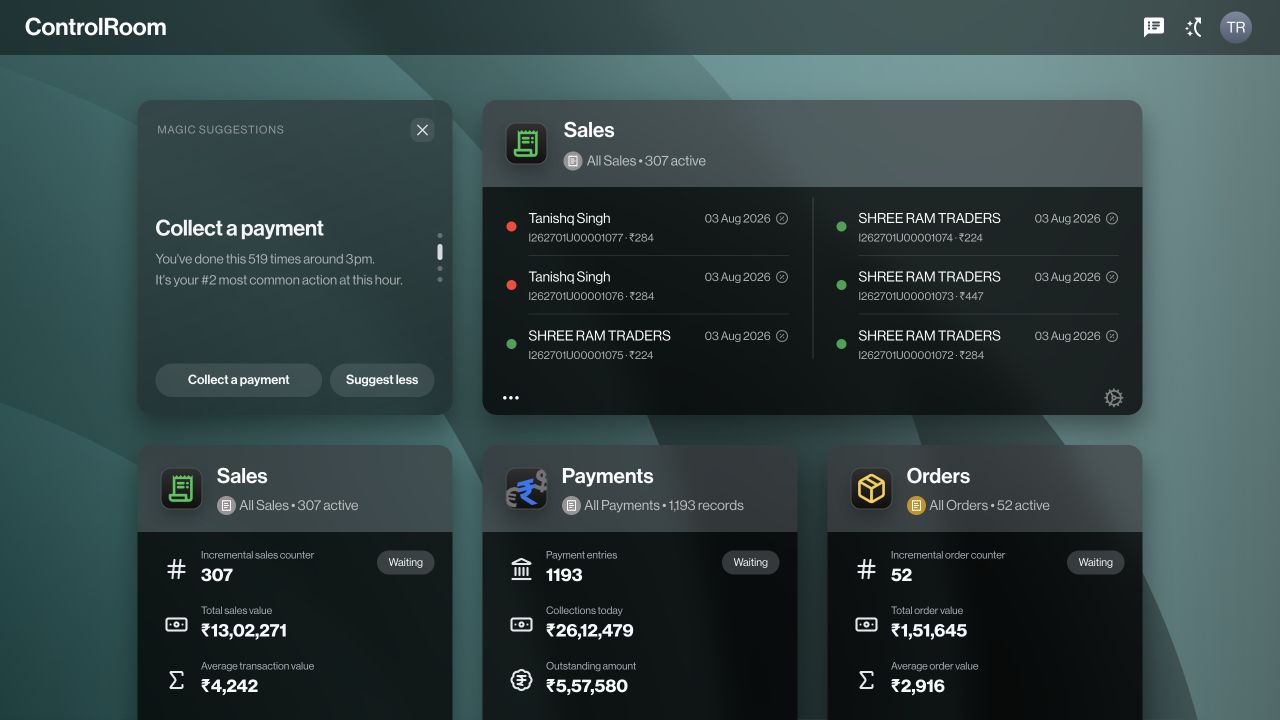
Use ControlRoom in a browser for reviewing and coordinating business records. Use GroundLink on a supported mobile device for work at a customer or in the field. ZaqOS Levante is the shared design and interaction layer, not another operating system to install.
02Follow the business record
An order records a request. A sale records the sales transaction. A payment records a collection or payment entry. A stock movement records a change in inventory. Related records are connected, but creating one does not prove that every later step has happened.
03Keep the company in view
Check your active organisation before searching, entering information or contacting a teammate. The same person can have different access in different organisations.
04Start with a real example
Choose one customer and one ordinary order. Follow its details through the relevant apps before trying a more complicated workflow. Use a training workspace when available; saving in a live workspace can change real business records.
Check the result
You can explain who owns the next step and which record they will review.
If something does not look right
A missing app does not necessarily mean a fault. Ask an administrator to check plan availability, assigned roles and whether the feature has been enabled.
Look up an error