Different surfaces. The same thoughtful experience.
ControlRoom at your desk. GroundLink in your hand. Levante is the name for the shared design and interaction experience across Zaqnet. It is why the menus, app icons, and everyday controls feel related as you move between jobs. You use it through Zaqnet’s products.
MAKE IT YOURS
Your workspace. Your way of seeing it.
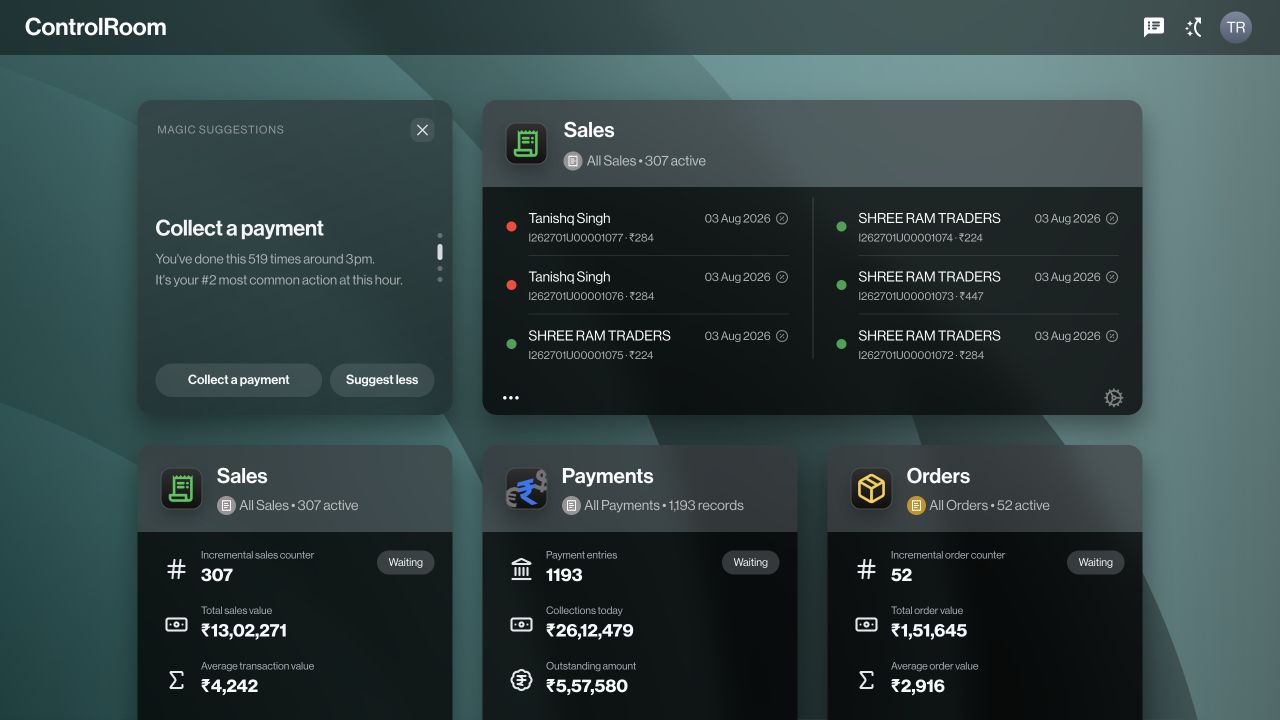
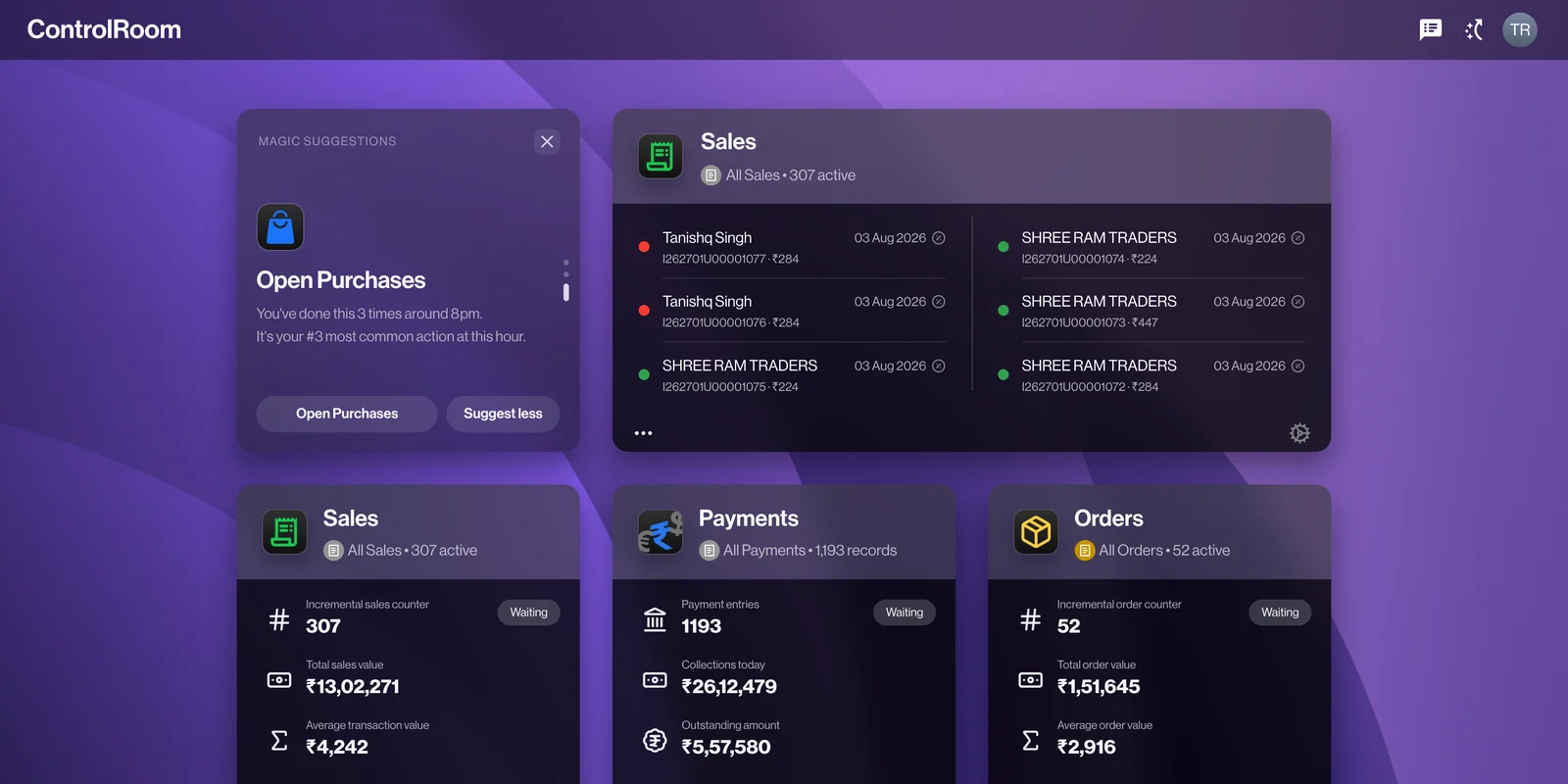
Choose a background, arrange the tiles you want on your home screen, and put the numbers you check first where you will actually see them. Start with the information that matters to your own working day.
Indigo · Choose a background
A place for everything. A rhythm that feels familiar.
Open an app, find a record, and see its details. A familiar structure helps you learn the next task without starting over.
Sales
Orders
Payments
Inventory
Customers
Users
Purchases
Automations
MADE FOR YOUR WORKING DAY
Start with what matters. Get to what you need.
A workspace should help you get your bearings. Put useful information up front, then go straight to the detail.
YOUR HOME SCREEN
Make room for your priorities.
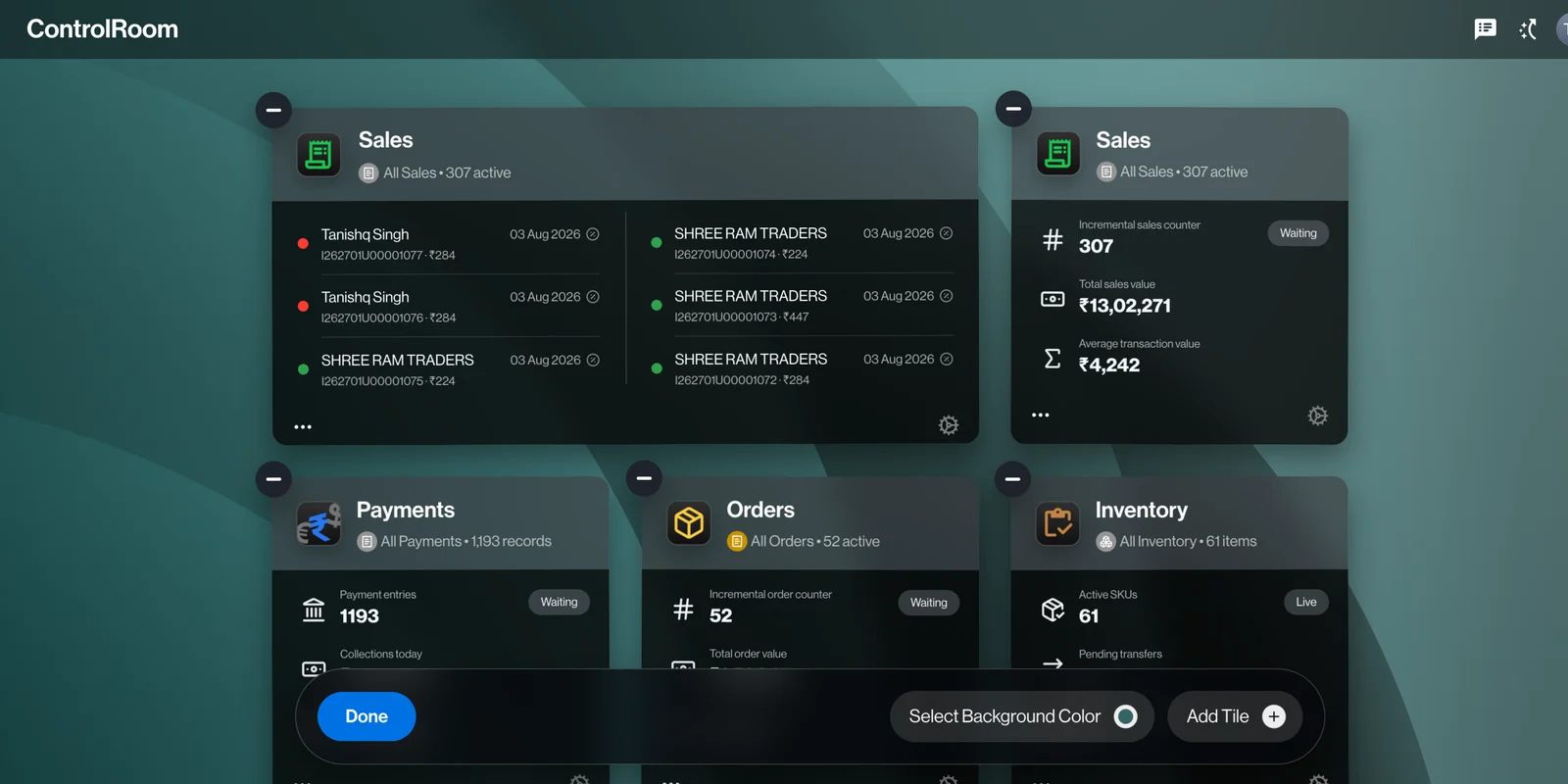
Arrange the tiles on your ControlRoom home screen around the work you manage. Keep sales, payments, or orders where they are easy to check.
For example: put collections beside sales when you want to see what has been sold and what has been paid.
Arranging tiles in ControlRoom
MAGIC SEARCH
A name is a good place to start.
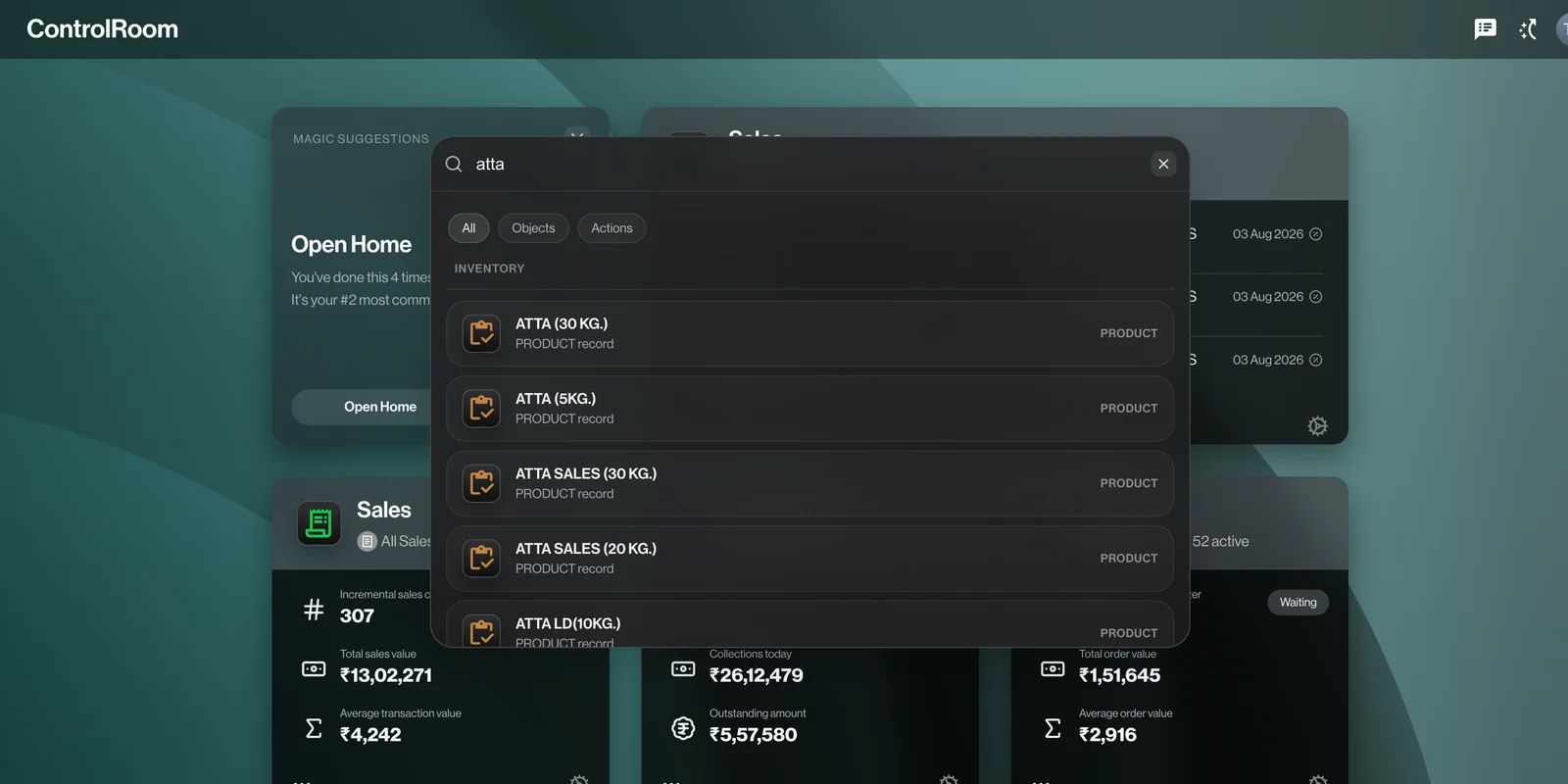
Search for a product, customer, or record without retracing every screen you visited. Review the matching results, then open the detail you need.
For example: search a product name to find related records before answering a customer’s question.
Finding records with Magic Search
AUTOMATIONS
Give repeat work a clear sequence.
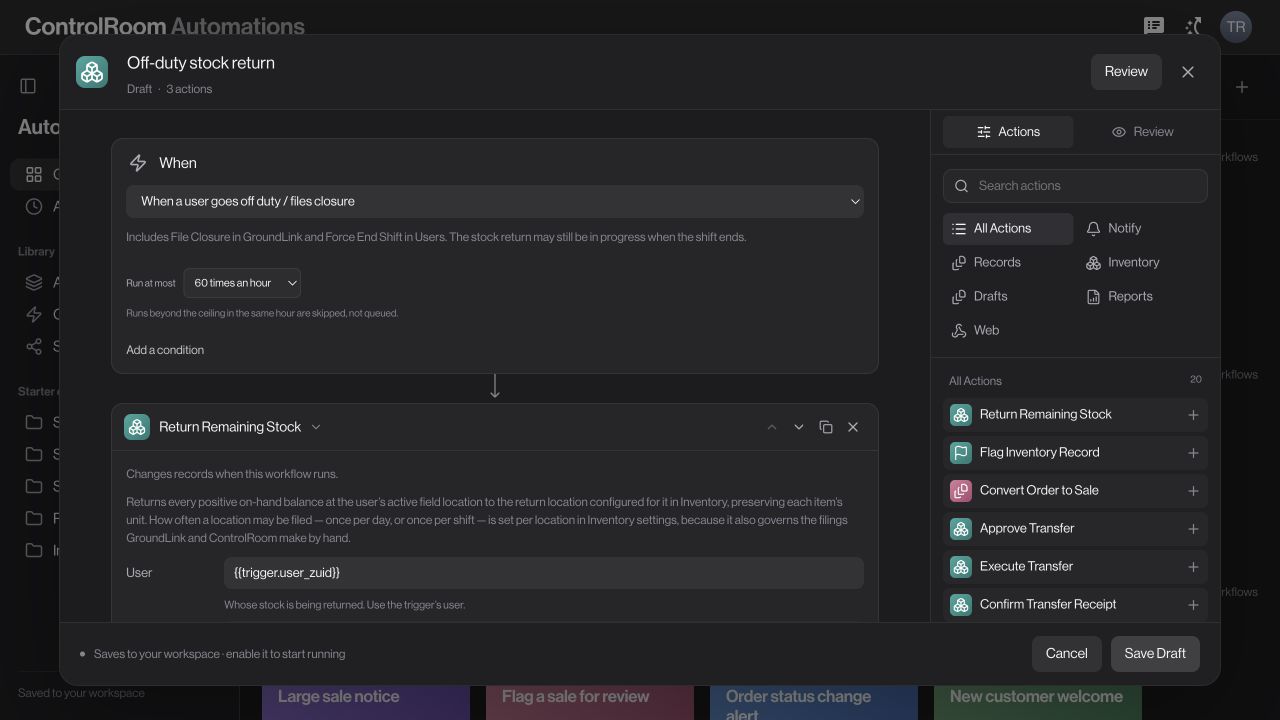
Describe what starts a flow, which conditions matter, and what should happen next. The composer brings those decisions into one place.
01 · When
Choose the starting point.
Begin with an available event or a manual trigger, depending on the task.
02 · If
Set your conditions.
Define the checks that decide whether the next action should apply.
03 · Then
Build the next steps.
Add available actions in order and review the flow before saving it.
The composer shown is a real product screen. Available triggers, actions, and execution depend on your workspace configuration.
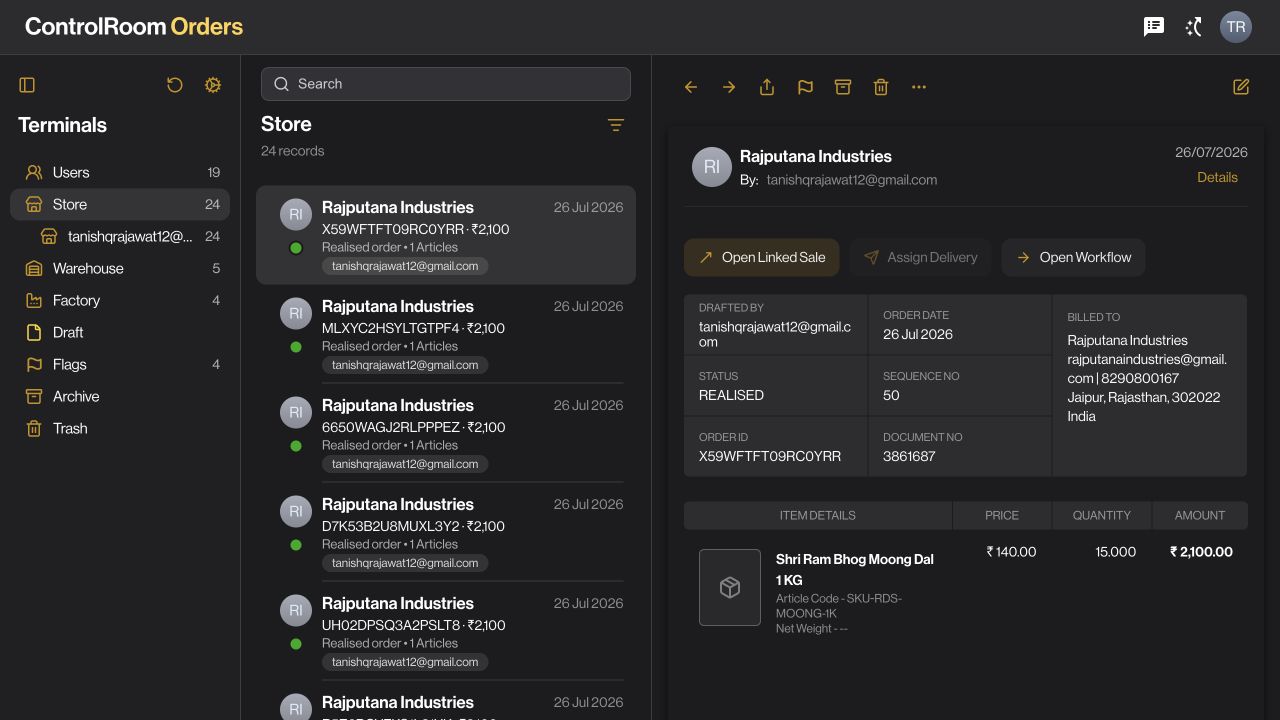
Your categories, records, and selected details sit side by side. Move from the big picture to one order without losing your place.
01 · Navigate
Choose where to look.
Use the sidebar to narrow the workspace to the records you need.
02 · Find
Keep your list in view.
Search and move between records without leaving the current category.
03 · Understand
Open the full picture.
Review the selected order’s items, amount, status, and available actions.
Shown in Orders. A familiar structure across ControlRoom’s record-based apps.
WHAT A SHARED EXPERIENCE MEANS
One order. Two perspectives. One clear story.
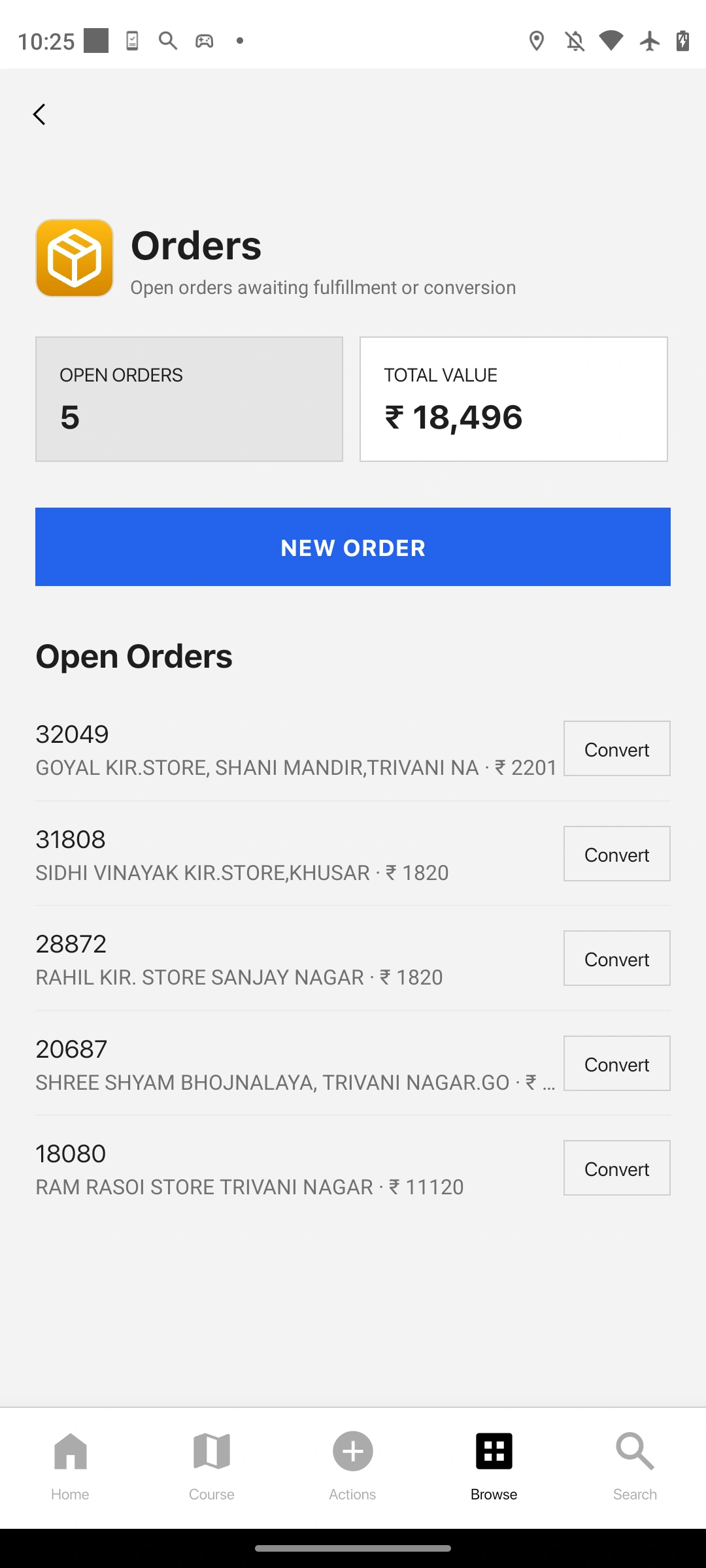
Levante gives each person an interface suited to their job. The field team records the request. The office reviews the detail and coordinates what follows.
Room to see the whole record.
ControlRoom’s three panes keep the category, list, and selected details together. Search the list, open an order, and keep your place as you review it.
Focus on the next action.
GroundLink gives mobile work its own surface. Open Orders, review the available information, and move into the task you need at the customer.
A familiar place for every control.
Consistent sidebar rows, search placement and detail panels make moving between record-based apps feel familiar. Learn the layout once, then concentrate on the record.
Quiet surfaces. Clear signals.
Neutral backgrounds keep the content first. App colours and recognisable icons help identify where you are, while consistent typography and spacing give headings, values and actions a clear order.
Consistency with room to adapt.
The desktop keeps related information side by side. GroundLink uses focused screens and familiar bottom navigation. Both organise the experience around the task and the person doing it.
Bring triggers, conditions, and actions together in Automations. Build a sequence around the way your operation works.
Find your next move.
Look up a customer, product, or record by name. Find the detail you need without remembering which screen you last saw it on.
Considered access.
Your workspace reflects the company you are working in and the access your team assigns. People see the tools relevant to their responsibilities.
The details stay together.
Records, receipts, and proofs are part of the same business story. Follow the connection as the work moves forward.
ZaqOS Levante is Zaqnet’s experience layer across its products. Product access and individual capabilities depend on your plan, workspace configuration, and availability. RetailPort and Satchel are in development.
A LITTLE MORE CLARITY
Meet the experience. Understand the difference.
What is ZaqOS Levante?
ZaqOS is Zaqnet’s shared experience layer: the design, navigation, and interaction patterns behind its products. Levante names its first generation. It gives everyday business tools a recognisable way of working.
Is it another operating system to install?
No separate operating system installation is required. You experience Levante through Zaqnet products, such as ControlRoom in your browser and GroundLink on your phone.
How are ControlRoom and GroundLink different?
ControlRoom is the office workspace for reviewing and managing business activity. GroundLink supports the people doing work in the field. They serve different tasks within the same business; they do not need identical screens to feel connected.
Does every product have every feature?
No. Tools depend on the product, your team’s access, plan, and workspace configuration. The desktop examples here show ControlRoom. RetailPort and Satchel are in development.
THE FIRST CHAPTER
Welcome to Levante.
Meet the experience behind your connected business.